This site was translated from Hebrew into English by AI, so it may contain inaccuracies. In case of any ambiguity or contradiction between language versions, the Hebrew version prevails. Read this page in Hebrew

A Guide to Downloading an Annual Account Statement

Also available in: עברית Русский العربية

How do you download an account statement?

Log in to your account.

Click on the current account (Over VeShav) here:
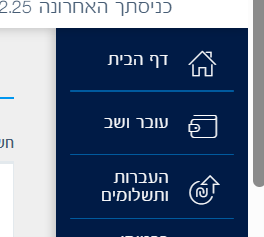
Clicking on the current account

Or here:

Clicking on the current account - another option

You get here and choose advanced search (it's a little different at every bank):
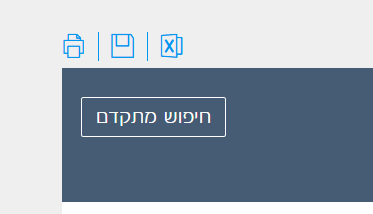
Choosing advanced search

Choose a period (this also differs a little between banks):
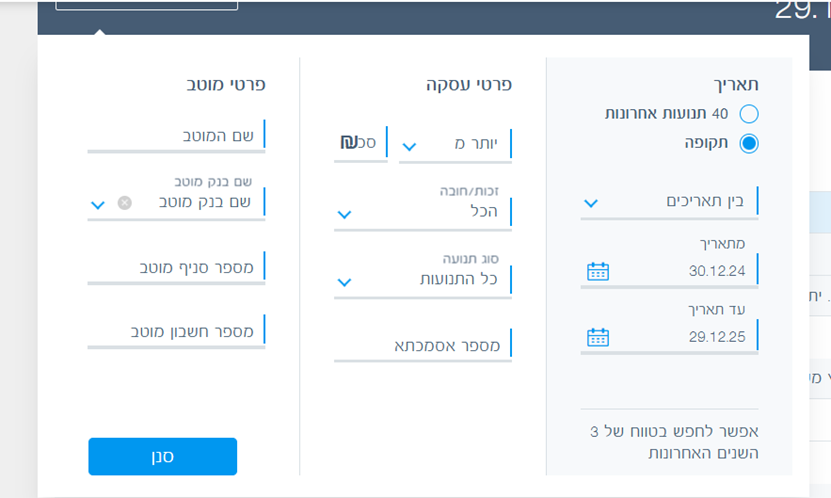
Choosing a period

Click on the Excel icon (at some banks there is a save icon first, and only after that Excel)

Clicking on the Excel icon

Pay attention to where you saved the file.

Good luck!

Gad
